- Typical documents
- Proposals, statements of work, services agreements, invoices
- Who signs
- You and your client
- Money
- Pay when signed on Pro and Business
Documents people sign here
- Proposals and quotes: the client accepts the scope and price online.
- Statements of work: what is delivered, when, and for what fee.
- Services and consulting agreements: the terms of the relationship.
- Change requests: the client signs off a change to scope or price.
- Invoices: raised beside the contract for the same client.
How InfinitDoc fits
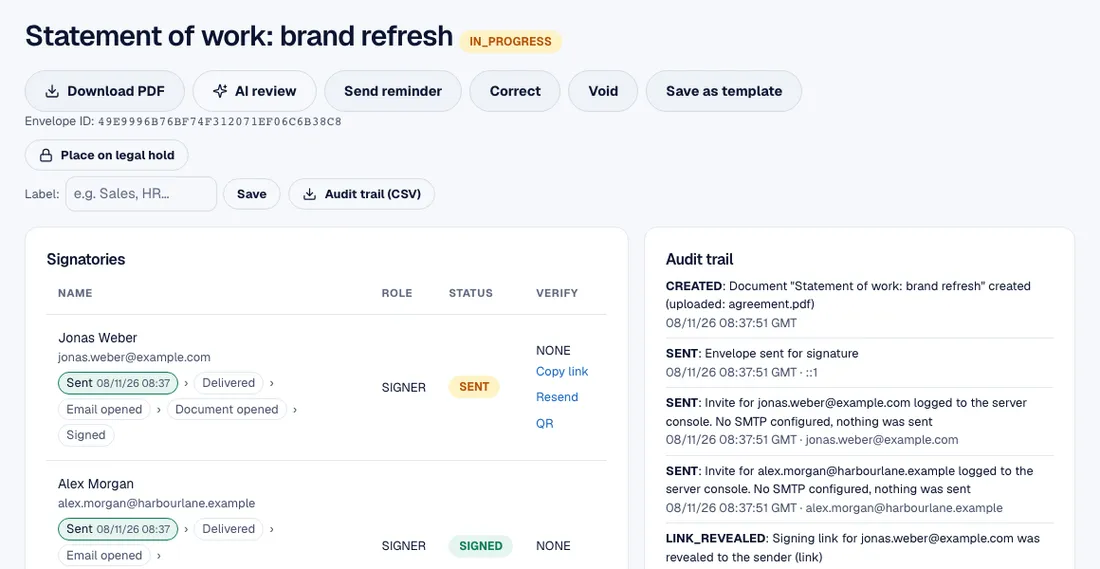
- Send a statement of work and see it sit at one of two signatures until your client signs.
- Upload your own PDF or Word agreement, or start from a template, and place a box for each signer.
- Signers sign on a phone or computer with no account and no app.
- Each signed document comes with a certificate in UK time and UTC, and an audit trail.
- A quote accepted online becomes an invoice.
A typical workflow
- Send a proposal or quote, and have the client accept it online.
- Turn the accepted scope into a statement of work and send it for signature.
- Add yourself as the second signer and place the boxes.
- Raise the first invoice from the same workspace, or attach a payment where card payment is switched on.
- Reuse the same template for the next client.
Templates to start from
Library templates: freelance services agreement, consulting agreement and mutual NDA.
Upload and save as your own templates: your proposal, statement of work, change request and project sign-off.
Get paid when they sign
On the Pro and Business plans, attach a payment to the agreement, such as a deposit or the first invoice. The client signs, then pays by card in the same visit. See payments and invoices.
Verifying who signs
Choose a check for each signer. Which ones you can use depends on your plan and on what is switched on for the server.
- Access code: a code you give the signer separately, for example by phone, which they type before they can open the document.
- One time code by email: a code sent to the signer's email address when they open the link.
- Phone verification by text message (SMS): a code sent to the signer's mobile phone, from the Starter plan, which includes 50 text messages a month.
- Password: a password you set on the document and share by a different route from the link.